
Turn the folders you avoid into a system you can trust.
Files Magic AI organizes selected folders into a cleaner, reviewable structure, then helps you reclaim storage from duplicates and developer junk without turning your Mac into a science project.
Used by 250+ Mac devices, with more than 120,000 files organized and over 100 TB of space reclaimed.


Built like a cleanup ritual, not a one-click gamble.
The experience moves in a deliberate sequence: choose the mess, review the structure, then reclaim the space that should not be there anymore.
Choose the folders that actually need help
Downloads, Desktop, client folders, project folders, or any cloud-synced folder that lives locally on your Mac.
Preview the structure before anything moves
Files are staged into Recents, Magic Library, and Manual Library so you can inspect the logic before committing.
Clean the junk that keeps growing back
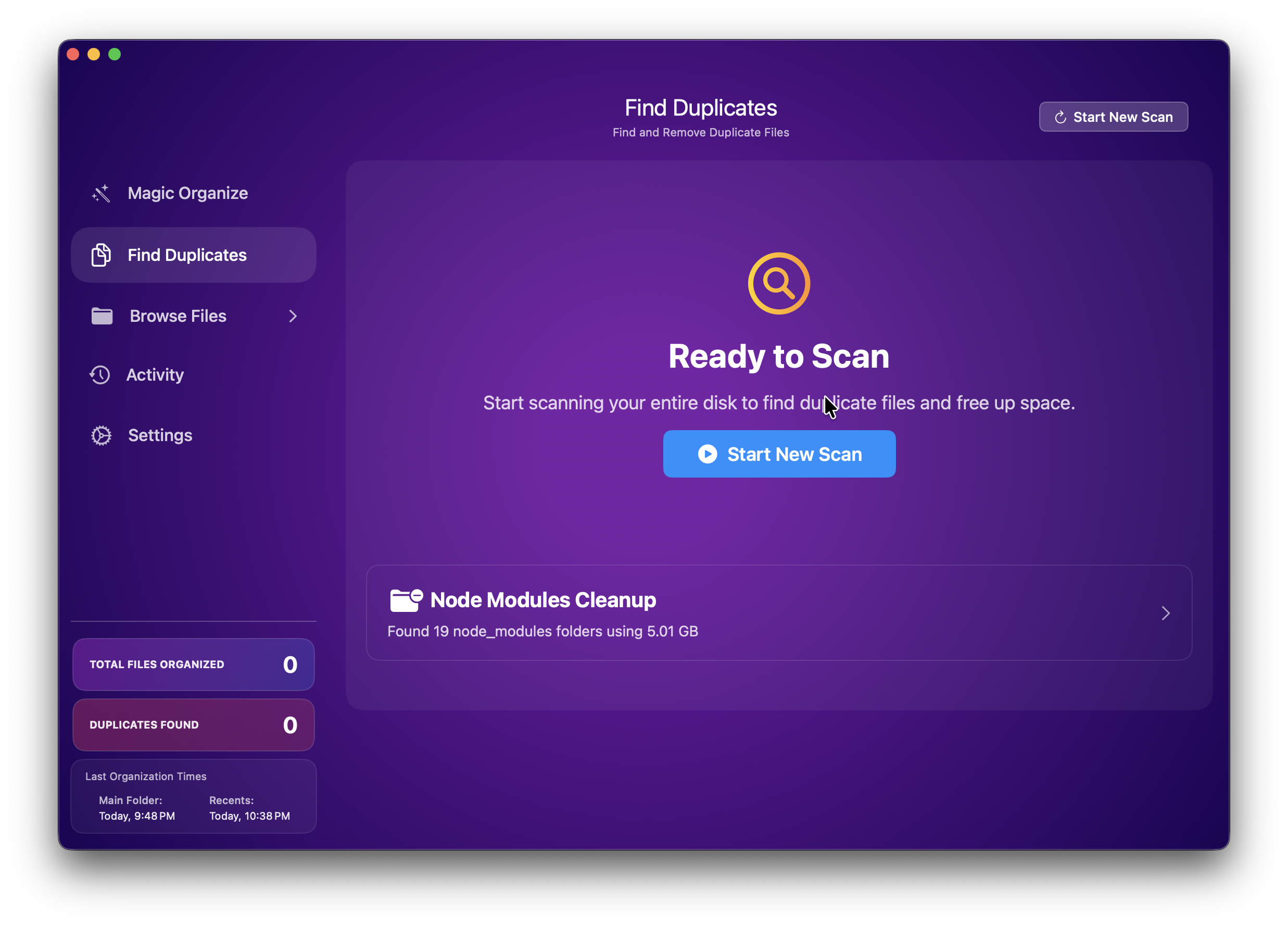
After organization, use the cleaner to find duplicates plus heavyweight leftovers like node_modules, Xcode caches, Flutter build folders, Gradle caches, DMGs, and unused apps.
See the difference before you hand the app the job.
Files Magic AI is most convincing when you can compare the original clutter with the resulting structure. That clarity is part of the product, not just part of the marketing.
Selected folders become easier to skim immediately.
Existing manual organization stays visible instead of being flattened.
The flow into Recents, Magic Library, and Manual Library feels predictable.


A product story told through the actual interface.
Every section below maps to a real screen or behavior in the app. The goal is less “look what AI can do” and more “here is how your folder life becomes calmer.”
A calmer home base for folders you actually use.
Files Magic AI works like a selective reset for messy folders. Point it at a space that has drifted into chaos, let it build a cleaner structure, and keep the rest of your Mac untouched.
- Choose a single folder or multiple working zones.
- Works with folders available locally on your Mac, including synced cloud folders.
- Keeps the experience native and focused instead of forcing a migration.
Recents for motion. Magic Library for order. Manual Library for respect.
The structure is easy to understand at a glance: new activity stays accessible, AI-organized material becomes browseable, and the folder system you already built is preserved instead of flattened.
- Recents keeps the live edge of your workflow visible.
- Magic Library groups files into a more legible structure.
- Manual Library protects the folders you intentionally made yourself.
Designed for the kind of mess normal cleaners ignore.
This is not just a duplicate finder. Files Magic AI is especially useful when your Mac keeps quietly filling up with developer artifacts, stale installers, and repeated copies you never meant to keep.
- Find duplicate files before they keep compounding.
- Surface node_modules, Xcode caches, Flutter build folders, and Gradle caches.
- Review what to remove instead of blindly wiping storage.
Exclude what matters. Undo what felt wrong. Stay in charge.
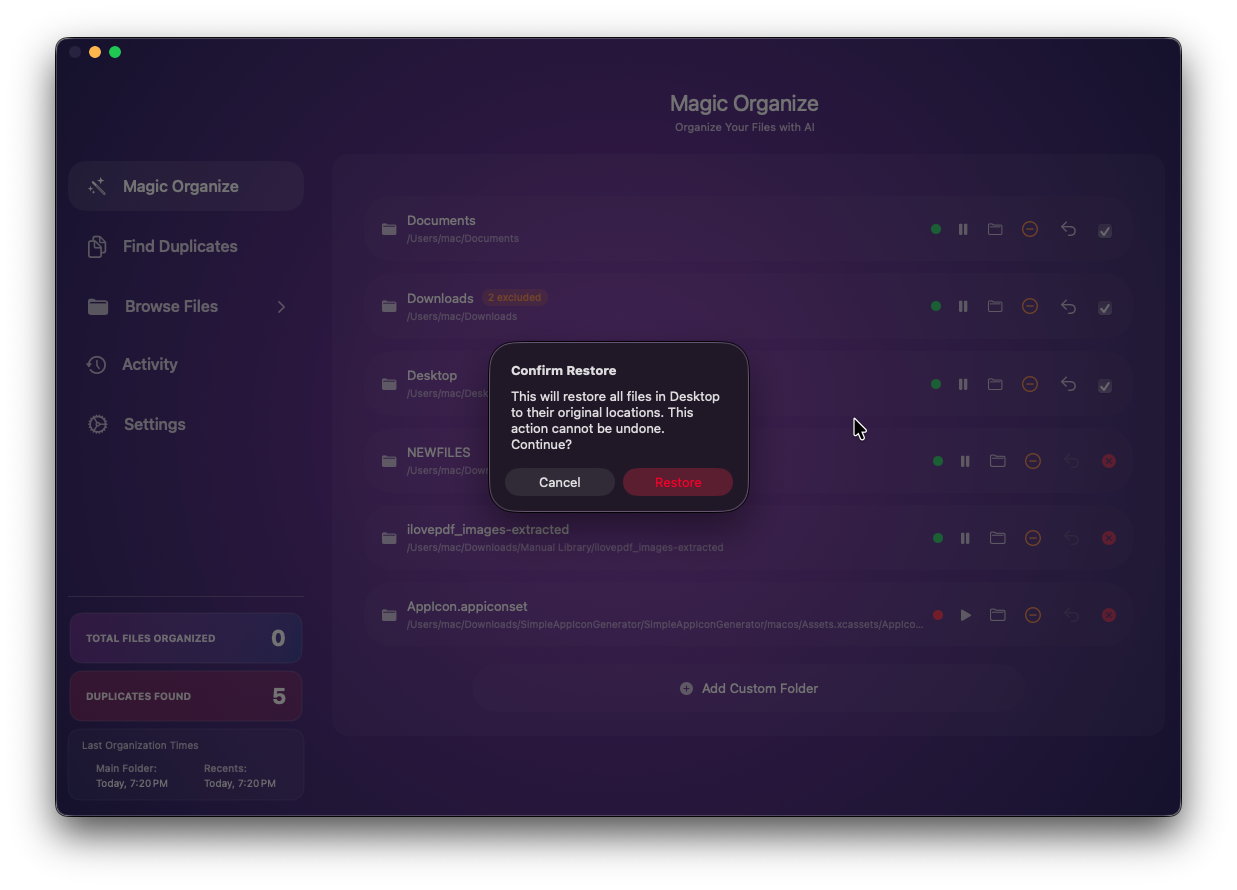
Automation only feels good when there is a visible way back. Files Magic AI lets you review changes, protect parts of the tree, and reverse recent actions when your first pass needs correcting.
- Preview organization before committing it.
- Exclude specific files and folders you want untouched.
- Undo recent organization actions when you need to rewind.
Automation feels better when the exits are obvious.
Files Magic AI does not ask you to trust a black box. It gives you preview screens, exclusions, and reversible actions so the app feels like a capable assistant, not a reckless file mover.
Preview-first workflow
See the proposed structure before you organize so you can make the call with context.
Filename-based categorization
When AI classification is needed, filenames may be processed securely without uploading your file contents.
Local file actions
Moves, restores, and cleanup actions happen on your Mac where the folders already live.
Selective cleanup
You decide what gets removed, what stays excluded, and what should remain exactly as it is.
“It feels less like a cleaner and more like a reset button for the folders I avoid opening.”
“The preview and undo flow is what sold me. I get the upside of automation without the panic.”
“Finally a Mac utility that understands both creative clutter and developer junk in the same place.”
Start with the Trial, then choose the shape that fits your Mac.
The page is new, but the promise stays simple: try the full app first, see whether the workflow sticks, then choose a plan without guessing.
Questions that matter before you let software touch your files.
Yes. Files Magic AI includes a 15-day free Trial with full access.
You can continue on the free tier with one active folder and limited manual organization, or upgrade for unlimited use.
Yes. Files Magic AI includes undo for recent organization actions.
File contents stay on your Mac. When AI categorization is needed, filenames may be processed securely for classification.
Yes, if the folder is available locally on your Mac, Files Magic AI can organize it like any other folder.
If your Downloads folder feels like a guilty conscience, this is the Mac app for it.
Start with the free Trial, clean one messy zone, and see how quickly the combination of structure, cleanup, and control changes your relationship with file clutter.